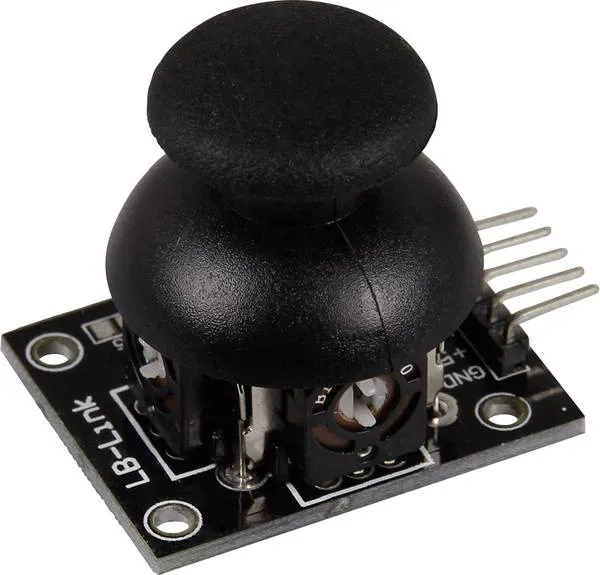
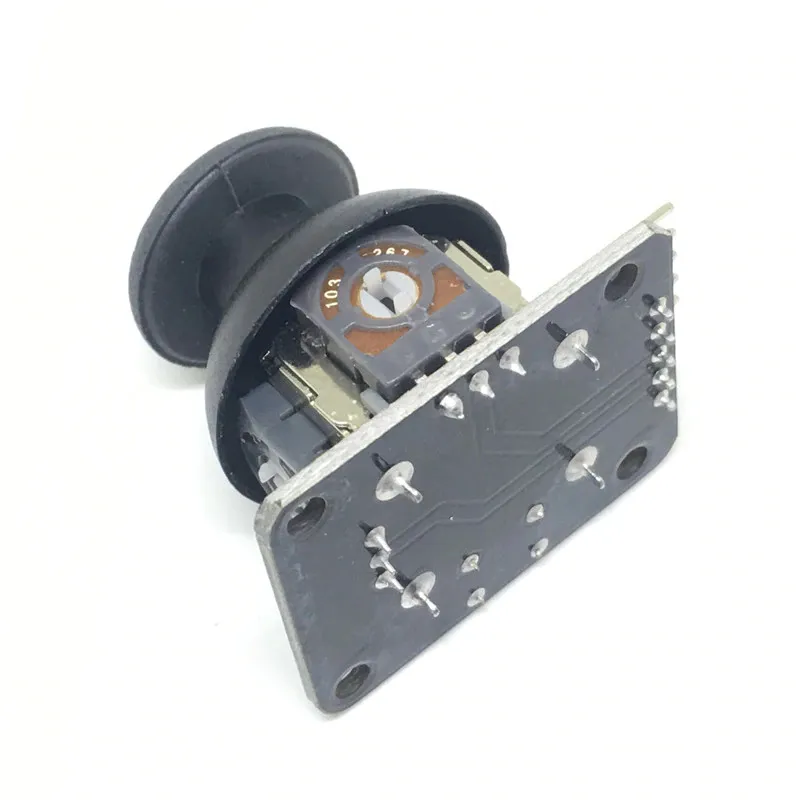
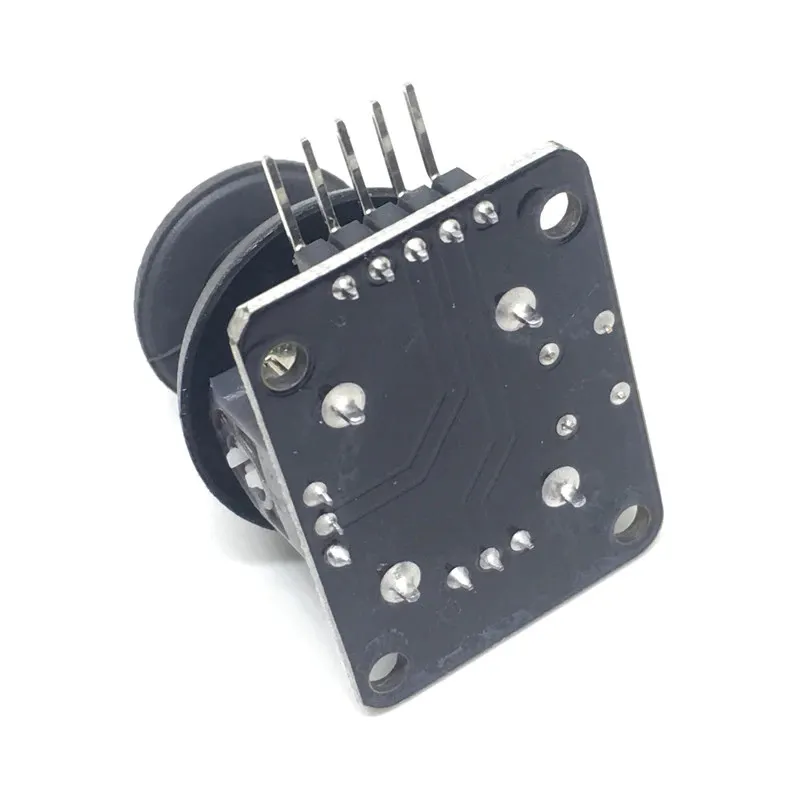
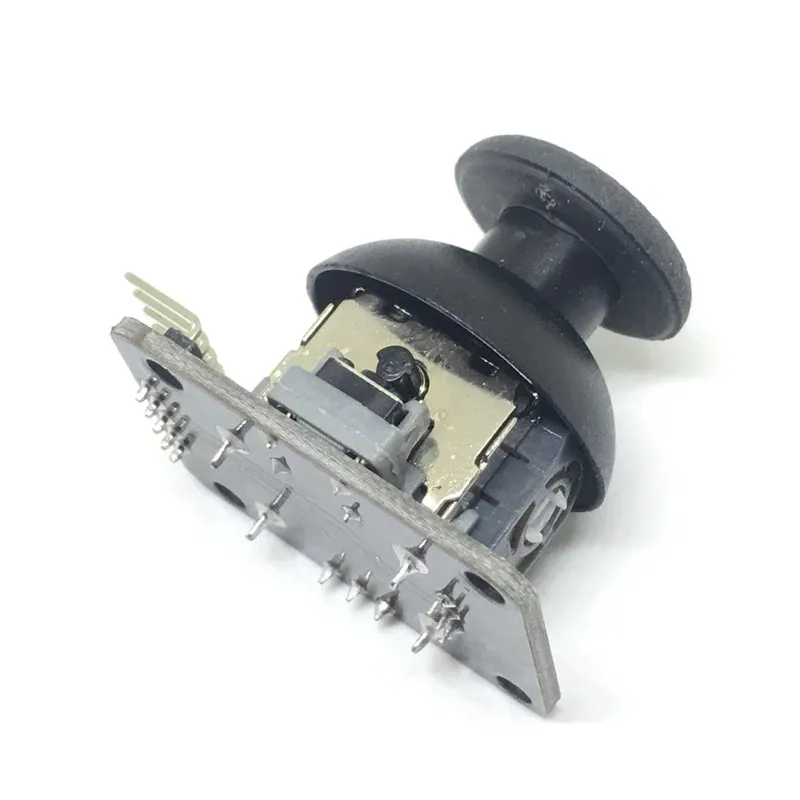
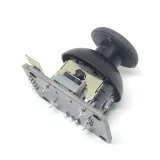
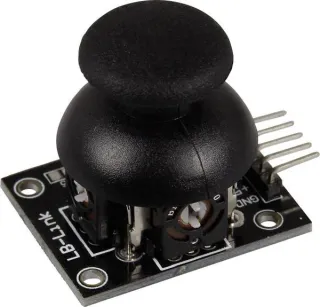
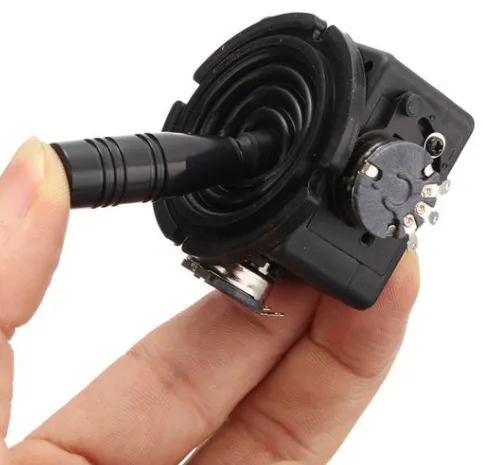
Joystick-moduuli, joka näyttää X- ja Y-asennon analogisena jännitteenä Arduino-, Raspberry Pi-, ESP8266- ja ESP32-projekteihin.
SKU: OT620-B36 Tuotenumero: YQ939 EAN: 8720828223031 Sijainti: B03.06
Vaihtoehto
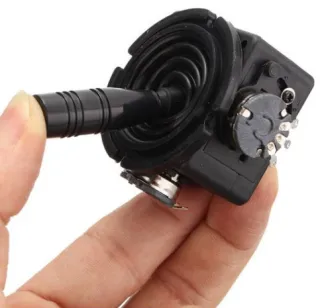
Joystick Potentiometeri 10K Ohm Kytkin Kierto 2-Suuntainen Suunta
€ 17,10
Katso tämä vaihtoehto
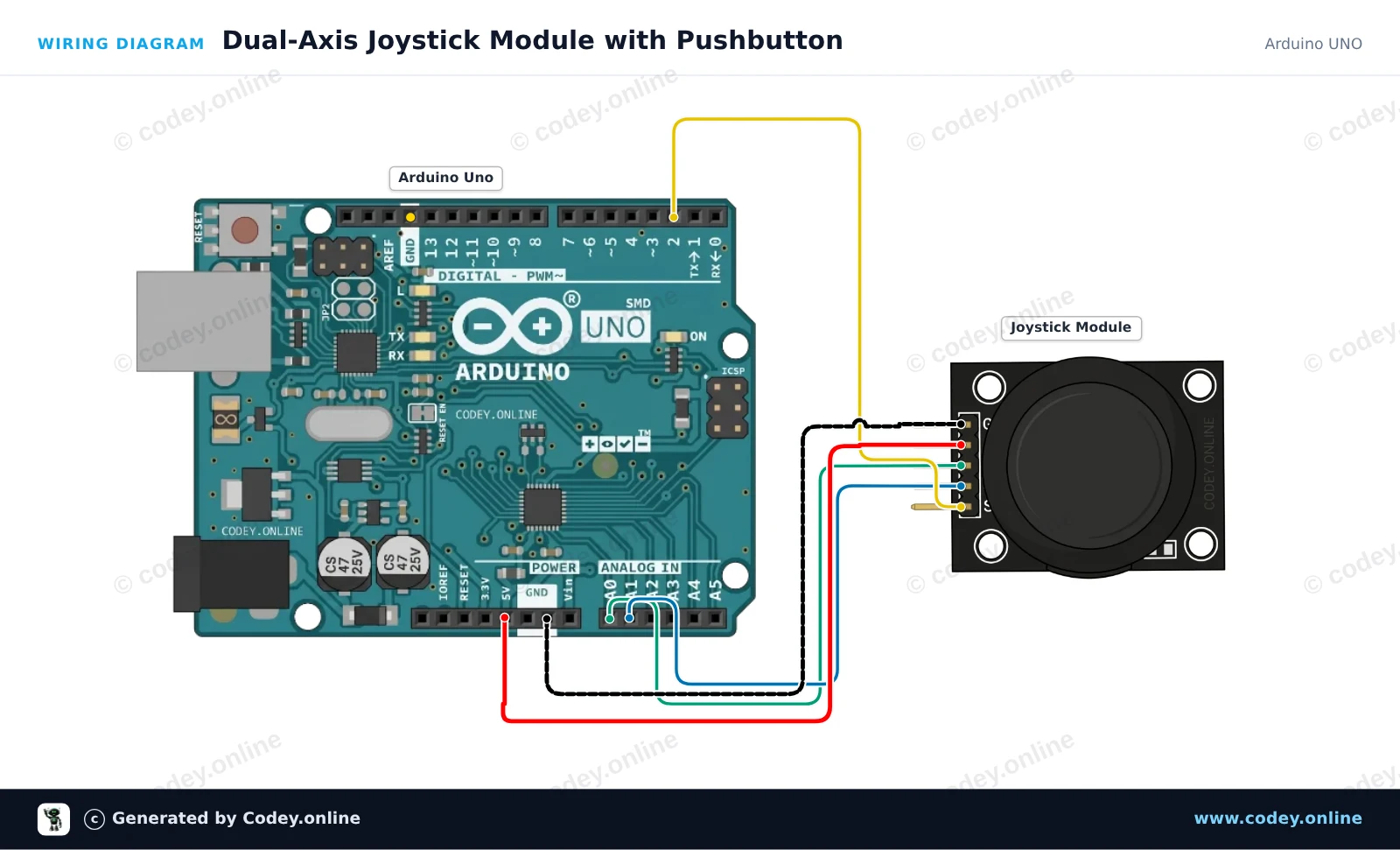
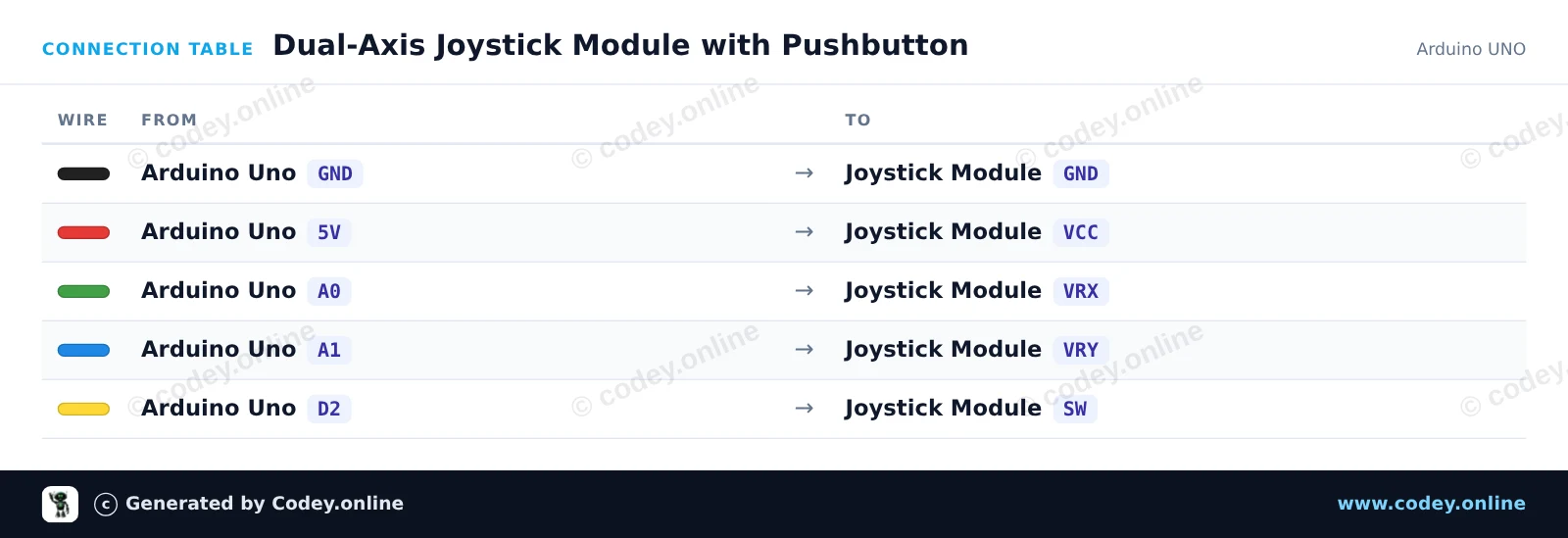
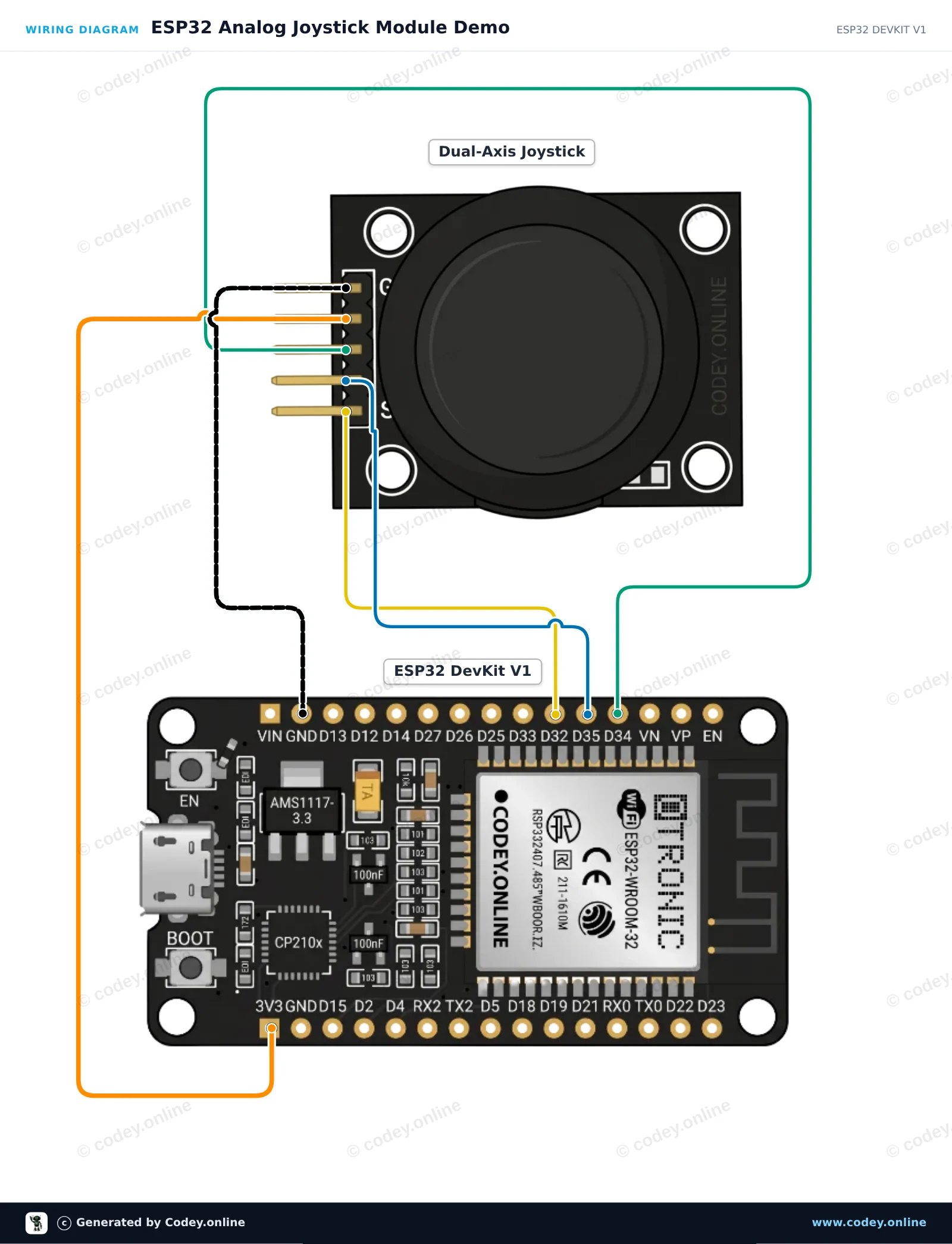
Näin kytket Joystick-moduuli:n Arduino UNOon tai ESP32:een, mukana esimerkkisketsi, jonka voit ladata heti.
Tämä esimerkki lukee joystick-moduulin analogiset X- ja Y-akselin asennot sekä integroidun painikkeen. Liikuta sauvaa tai paina sitä alas nähdäksesi reaaliaikaiset sijaintiarvot ja painikkeen tilan Serial Monitorissa.
/*
* ==================================================================
* Generated by Codey.online — https://www.codey.online
* ==================================================================
* Project : Dual-Axis Joystick Module with Pushbutton
* Board : Arduino UNO (arduino:avr:uno)
* Parts : Joystick module
* Libraries : none (built-in)
*
* Codey Online is an AI-powered browser IDE for Arduino and ESP32.
* Describe your project and Codey writes the code, draws the wiring
* diagram and uploads it to your board, straight from the browser.
* This code is free to use, modify and share, without warranty.
* ==================================================================
*/
// Pin definitions
const int PIN_X = A0;
const int PIN_Y = A1;
const int PIN_SW = 2;
void setup() {
// Enable internal pull-up resistor for the integrated pushbutton
pinMode(PIN_SW, INPUT_PULLUP);
Serial.begin(115200);
Serial.println(F("Joystick Module Demo"));
Serial.println(F("--------------------"));
}
void loop() {
// Read analog values for X and Y axes (range: 0 - 1023)
int xVal = analogRead(PIN_X);
int yVal = analogRead(PIN_Y);
// Button is active-low (reads LOW when pressed)
bool isPressed = (digitalRead(PIN_SW) == LOW);
// Print the results to Serial Monitor
Serial.print(F("X: "));
Serial.print(xVal);
Serial.print(F(" | Y: "));
Serial.print(yVal);
Serial.print(F(" | Button: "));
Serial.println(isPressed ? F("PRESSED") : F("RELEASED"));
delay(150);
}
Wiring diagram and example code generated by Codey.online — https://www.codey.online
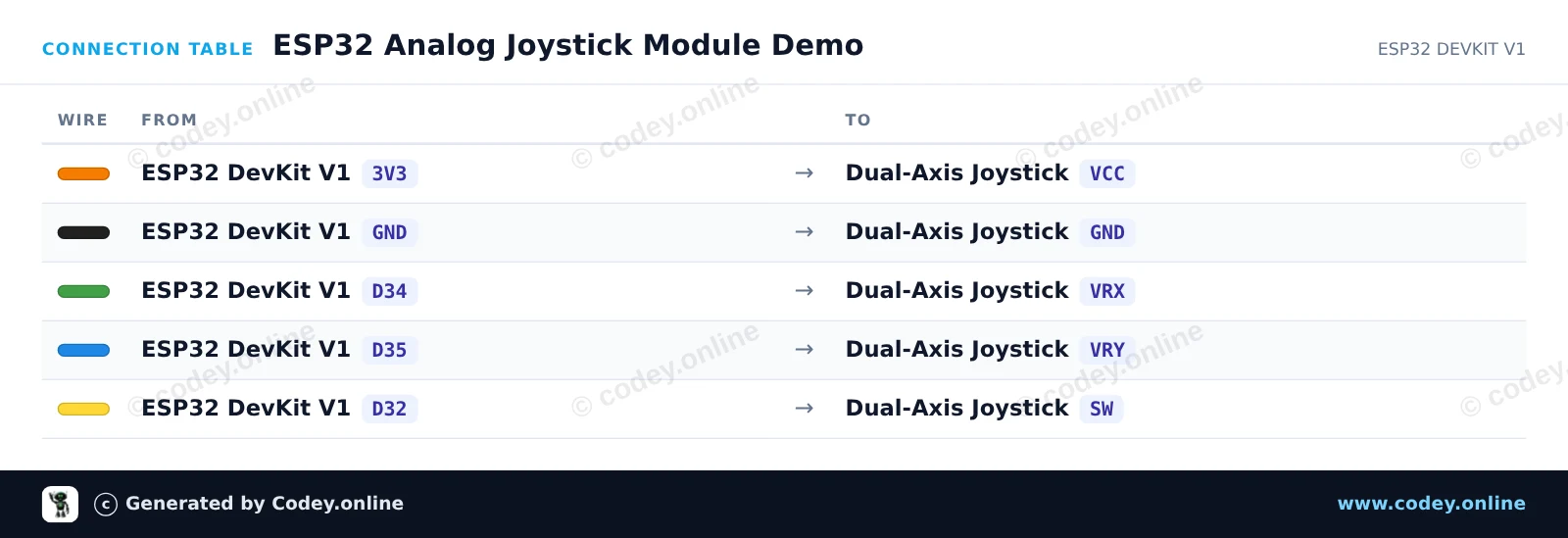
Tämä projekti lukee X- ja Y-asennot sekä integroidun painonapin tilan kaksakselisesta analogisesta joystick-moduulista. ESP32 lukee analogiset jännitteet GPIO 34:n ja 35:n kautta, ja painikkeen tilan GPIO 32:n kautta. Avaa Serial Monitor nopeudella 115200 baud nähdäksesi joystickin koordinaatit ja painallukset reaaliajassa.
/*
* ==================================================================
* Generated by Codey.online — https://www.codey.online
* ==================================================================
* Project : ESP32 Analog Joystick Module Demo
* Board : ESP32 DEVKIT V1 (esp32:esp32:esp32doit-devkit-v1)
* Parts : Joystick module
* Libraries : none (built-in)
*
* Codey Online is an AI-powered browser IDE for Arduino and ESP32.
* Describe your project and Codey writes the code, draws the wiring
* diagram and uploads it to your board, straight from the browser.
* This code is free to use, modify and share, without warranty.
* ==================================================================
*/
// Pin definitions (using bare GPIO numbers for ESP32)
const int pinVRX = 34;
const int pinVRY = 35;
const int pinSW = 32;
void setup() {
Serial.begin(115200);
// Configure push-button pin with internal pull-up
pinMode(pinSW, INPUT_PULLUP);
}
void loop() {
// Read analog values from joystick potentiometers (0 - 4095 on ESP32)
int xVal = analogRead(pinVRX);
int yVal = analogRead(pinVRY);
// Read digital state of the integrated switch (LOW when pressed)
bool isPressed = (digitalRead(pinSW) == LOW);
// Print the readings to the Serial Monitor
Serial.print("X: ");
Serial.print(xVal);
Serial.print(" | Y: ");
Serial.print(yVal);
Serial.print(" | Button: ");
Serial.println(isPressed ? "PRESSED" : "RELEASED");
delay(100);
}
Wiring diagram and example code generated by Codey.online — https://www.codey.online
Tällä boardilla voidaan joystickin X- ja Y-asento näyttää analogisena jännitteenä lähtöpinneissä. Sopii mm. Arduino-, Raspberry Pi-, ESP8266- tai ESP32-projekteihin.
katso täältä kytkentäkaavio ja esimerkkikoodi >>>
Moduuli voidaan juottaa tai käyttää breadboardilla.
Jännitealue: 0 - 5 V
Käyttöjännite: 3,3 - 5V
Mitat: 34 x 39 x 26 mm

| Mitat | 34 x 39 x 26 mm |
|---|---|
| Käyttöjännite | 3.3/5V |
| Sopii | Arduino, Raspberry Pi, ESP8266, ESP32 |
Ei vielä arvosteluja.
Etkö ole tyytyväinen? Sinulla on 30 päivää aikaa vastaanotosta palauttaa tuote.
Kaikki palautuksista
Joystick-moduuli